
After years of talking to a computer through the command line, you may suddenly need to deliver something with buttons, windows, and clicks. GUIs may seem magical, but underneath they are built from a handful of simple ideas repeated over and over.
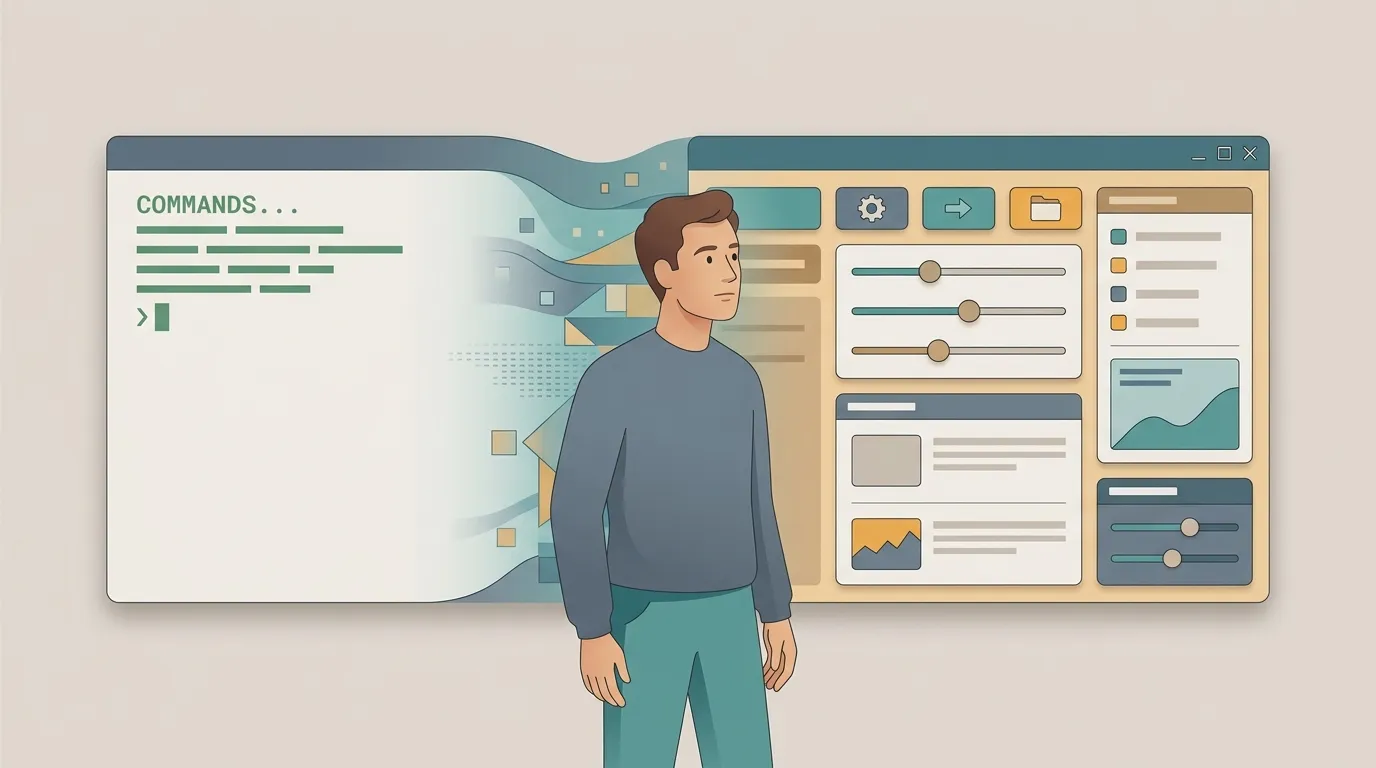
What is a GUI, anyway?
GUI stands for Graphical User Interface: instead of typing commands, people point, click, and drag. The terminal gives you raw, silent power; a GUI gives you affordance—visual hints about what can be done there.
For developers, the shift is one of mindset. In the terminal, you control the flow from beginning to end. In a GUI, you hand control to the user and start reacting to whatever they decide to do. You stop being the director and become the host.
Widgets: the building blocks of an interface
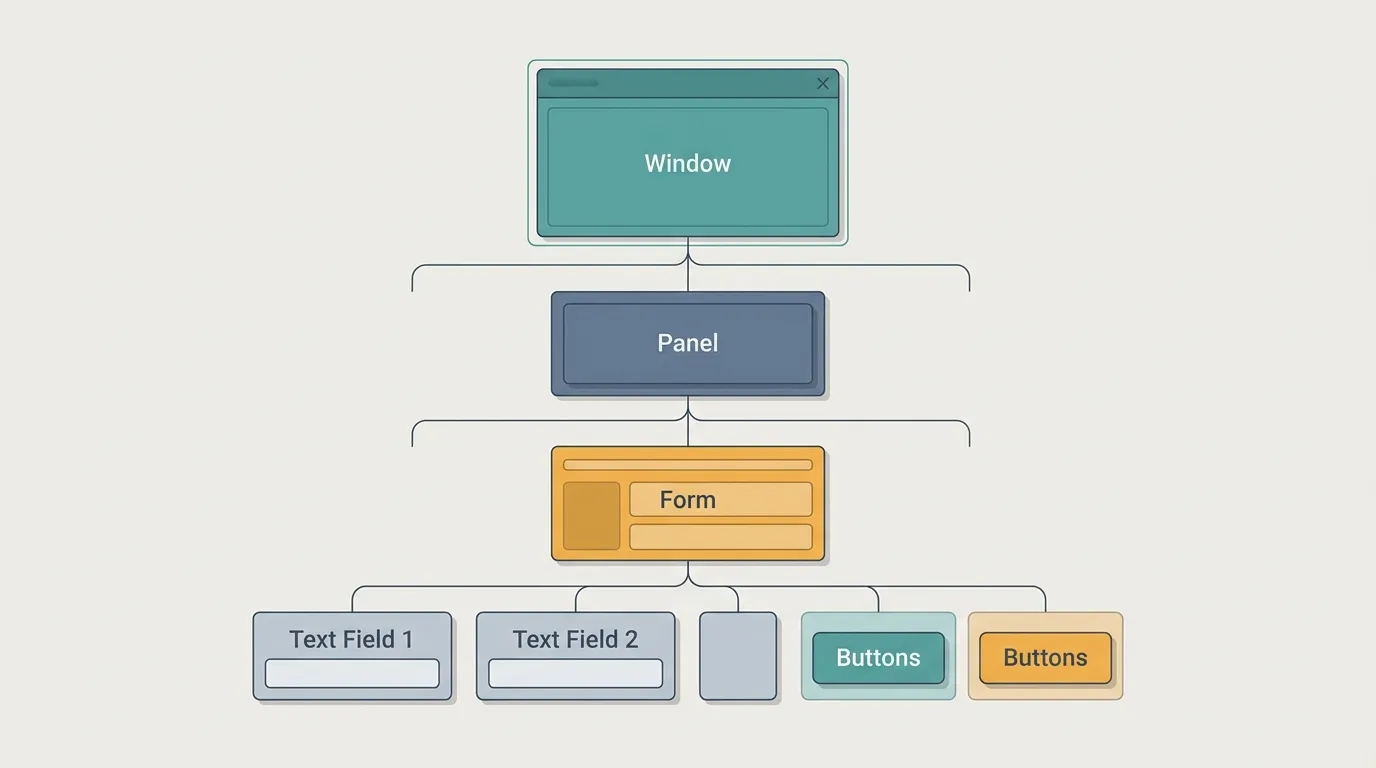
Every visible element is a widget (or component): a button, text field, checkbox, list, or the window itself. Each one has an appearance, an internal state, and a set of events it knows how to trigger.
The trick is that widgets nest inside a tree. A window contains a panel, which contains a form, which contains buttons. Learn to see this tree, and any interface—desktop or web—stops looking like an impenetrable mess.
The event loop: who runs the show
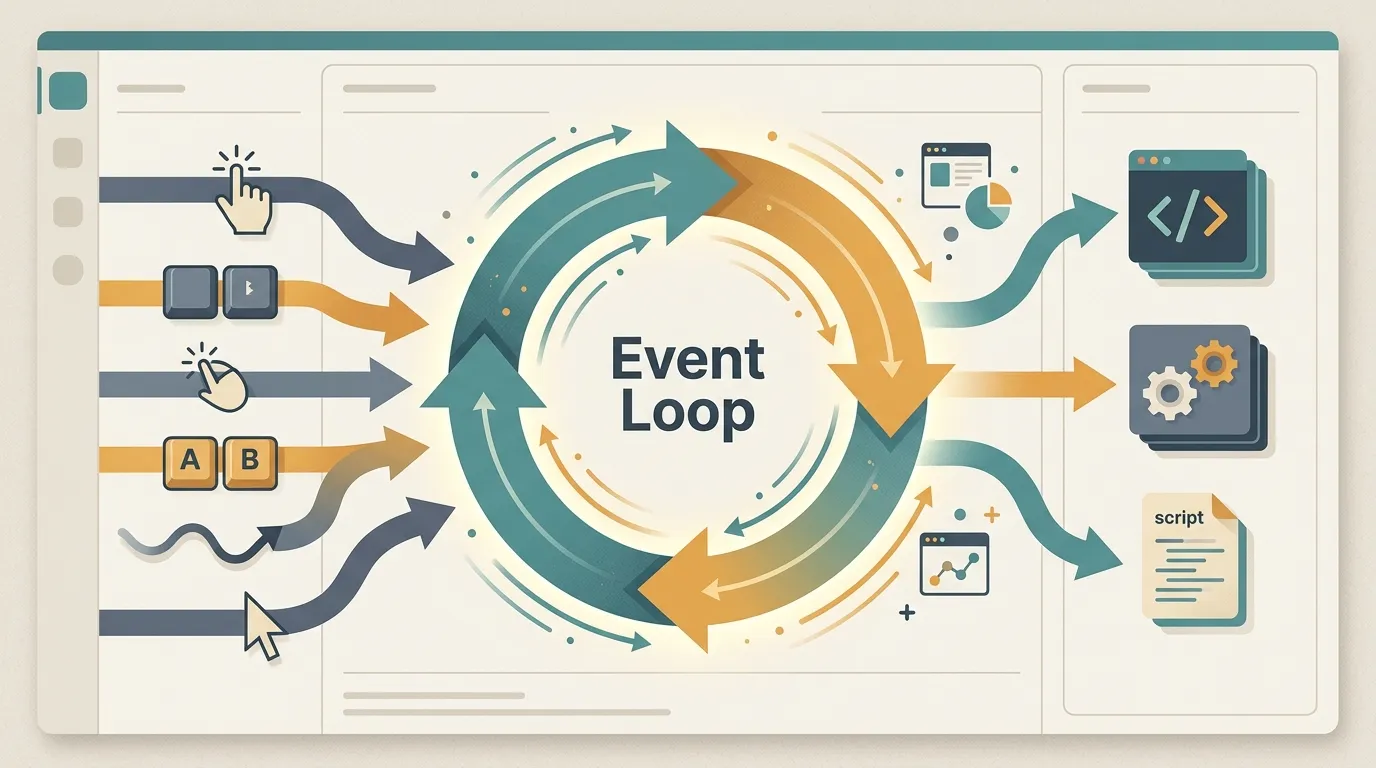
Terminal code runs from top to bottom and then ends. A GUI does not end: it enters an infinite loop, waiting for things to happen—a click, a keystroke, the mouse passing over something. This loop is the event loop, the application's beating heart.
You do not call the interface; you register handlers, and the loop calls you back when an event arrives. The practical consequence is a harsh one: if you block the loop with a heavy calculation, the entire screen freezes. That is why long-running work goes to another thread or to asynchronous code, away from the loop.
Layout and containers: organizing the chaos
No serious developer positions widgets using fixed coordinates anymore—there are too many screen sizes for that to work reliably. Containers handle this instead: you declare the intent ("side by side," "stacked," "this one stretches"), and the layout recalculates itself as the available space changes.
It is the same way of thinking as flexbox on the web and a layout manager on the desktop. Thinking in terms of containers instead of pixels is what separates a screen that breaks on the first unusual phone from one that adapts to any resolution.
State: the source of truth
Everything the interface displays is a reflection of state: what has been filled in, what is loading, and who is logged in. Almost every frustrating GUI bug comes from the same place—the state and the screen telling different stories.
The rule that protects your sanity is to have a single source of truth. The state changes, the interface re-renders from it, and that is it. Modern frameworks are built around this idea precisely because updating the screen manually, one widget at a time, is an invitation to chaos.
Desktop, web, and principles that do not age
Desktop and web applications change the stage, not the play. Widgets, event loops, layout, and state appear in both; what really changes is distribution, latency, and tooling. Understand the concepts in one environment, and you can move to the other by reading the documentation—not by starting from scratch.
And three principles survive every framework trend. Feedback: every action gets an immediate response, even if it is just a spinner saying, "Hang on, I'm working on it." Consistency: the same gesture does the same thing throughout the interface. Forgiveness: actions can be undone, irreversible operations are confirmed, and mistakes do not become tragedies.
In the end, a good interface is not the prettiest one—it is the one that gets out of the way and lets people do what they came to do.