
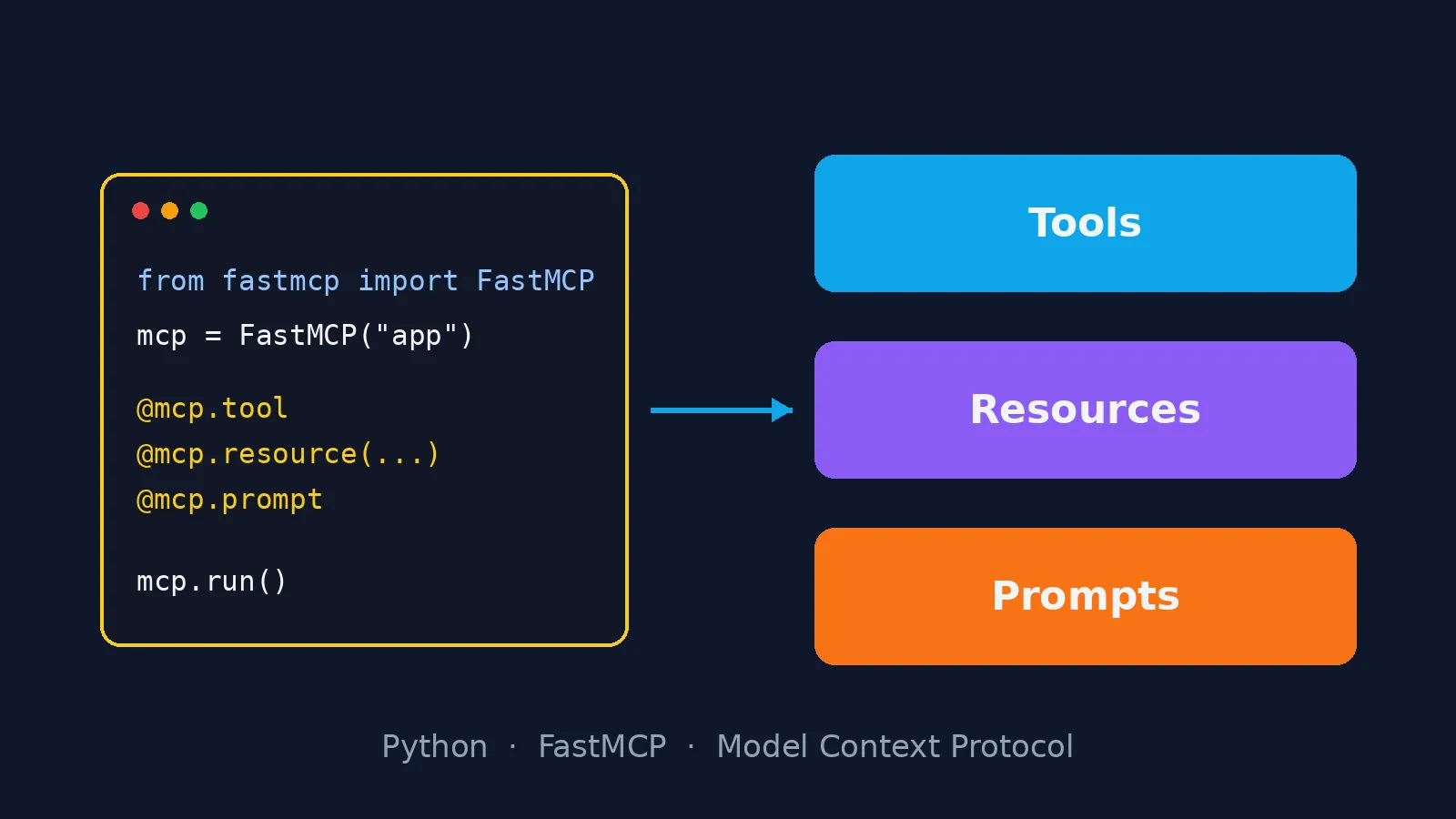
You already have an API, a database or an internal script that solves a real problem. Now you want an AI assistant such as Claude to use it, without copying and pasting answers into the chat. The standard way to do that today is to expose the system as an MCP server. In Python, the shortest path is FastMCP: you write plain functions, add a decorator, and the protocol takes care of the rest.
In this tutorial you will build an MCP server with FastMCP from scratch, with the three building blocks the protocol offers: tools, resources and prompts. All the code was run with FastMCP 4.1 and Python 3.11, and the real output is shown further down.
What you will build
A server for a library catalogue, small enough to fit in the article and complete enough to show every concept. The code keeps its Portuguese names (biblioteca is "library", livros is "books"):
- Tools: actions the model can call. Here,
buscar_livros(search books) andreservar_livro(reserve a book). - Resources: data the client can read at an address, like a file. Here, the lending rules and each book's record.
- Prompts: ready-made message templates the user picks in the client. Here, a prompt that asks for a reading recommendation.
The difference matters: a tool is chosen by the model, a resource by the application, and a prompt by the user.
Installing FastMCP
Create an environment and install the package:
uv venv && source .venv/bin/activate
uv pip install fastmcp
With pip it works the same: pip install fastmcp.
The complete server
Save it as server.py:
"""Servidor MCP de exemplo: catálogo de livros de uma biblioteca."""
from typing import Annotated

from fastmcp import FastMCP
from pydantic import Field

mcp = FastMCP("biblioteca")

LIVROS = {
    "978-8575228050": {"titulo": "Python Fluente", "autor": "Luciano Ramalho", "disponivel": True},
    "978-8550804606": {"titulo": "Código Limpo", "autor": "Robert C. Martin", "disponivel": False},
}
RESERVAS: set[str] = set()


@mcp.tool(annotations={"readOnlyHint": True})
def buscar_livros(
    termo: Annotated[str, Field(description="Parte do título ou do autor", min_length=2)],
    so_disponiveis: bool = False,
) -> list[dict]:
    """Busca livros do catálogo pelo título ou pelo autor."""
    termo = termo.casefold()
    return [
        {"isbn": isbn, **livro}
        for isbn, livro in LIVROS.items()
        if termo in (livro["titulo"] + " " + livro["autor"]).casefold()
        and (livro["disponivel"] or not so_disponiveis)
    ]


@mcp.tool(annotations={"destructiveHint": False, "idempotentHint": True})
def reservar_livro(isbn: str) -> dict:
    """Reserva um livro disponível. Reservar de novo o mesmo livro não muda nada."""
    livro = LIVROS.get(isbn)
    if livro is None:
        raise ValueError(f"ISBN {isbn} não existe no catálogo")
    if isbn in RESERVAS:
        return {"isbn": isbn, "status": "reservado"}
    if not livro["disponivel"]:
        raise ValueError(f"'{livro['titulo']}' já está emprestado")
    livro["disponivel"] = False
    RESERVAS.add(isbn)
    return {"isbn": isbn, "status": "reservado"}


@mcp.resource("biblioteca://regras")
def regras() -> str:
    """Regras de empréstimo da biblioteca."""
    return "Prazo de 14 dias. Até 3 livros por pessoa. Renovação online uma vez."


@mcp.resource("biblioteca://livros/{isbn}")
def ficha_do_livro(isbn: str) -> dict:
    """Ficha completa de um livro pelo ISBN."""
    return {"isbn": isbn, **LIVROS[isbn]}


@mcp.prompt
def recomendar(tema: str, nivel: str = "iniciante") -> str:
    """Pede ao modelo uma recomendação de leitura usando o catálogo."""
    return (
        f"Use a ferramenta buscar_livros para encontrar livros sobre {tema} "
        f"para um leitor {nivel}. Recomende no máximo 3 e explique o porquê."
    )


if __name__ == "__main__":
    mcp.run()
That is fewer than 70 lines, and none of them mentions JSON-RPC, messages or transports. Let's see what each part does.
Tools: the signature becomes the contract
FastMCP reads the function's signature and docstring and generates, on its own, what the model will receive: the name, the description and a JSON Schema of the arguments. For buscar_livros, the generated schema is:
{
  "type": "object",
  "additionalProperties": false,
  "properties": {
    "termo": {"description": "Parte do título ou do autor", "minLength": 2, "type": "string"},
    "so_disponiveis": {"default": false, "type": "boolean"}
  },
  "required": ["termo"]
}
Three details of this example apply to any server:
- The docstring is the model's manual. The model decides whether to call the tool by reading that sentence. Write what it does and when to use it, not how it is implemented.
- Validate at the boundary.
Field(min_length=2)becomesminLengthin the schema, and FastMCP rejects a call that breaks the schema before it reaches your function. - Annotations state the risk.
readOnlyHinttells the client the tool only reads;idempotentHinttells it that repeating the call is safe. Clients use this to decide when to ask the user for confirmation. That is whyreservar_livroreturns the same result on a second call instead of failing: the annotation promises it, and the code has to keep that promise.
When something goes wrong, raise an exception with a useful message. FastMCP turns it into a result with isError: true and the message text, which the model reads and can use to fix its next attempt. Calling reservar_livro with an ISBN that does not exist returns exactly ISBN 000 não existe no catálogo ("ISBN 000 is not in the catalogue").
Resources: data with an address
A resource is read, not executed. @mcp.resource("biblioteca://regras") publishes a fixed text; biblioteca://livros/{isbn} is a resource template: the part in braces becomes the function's argument. Use resources for context the application attaches to the conversation, such as documentation, configuration or a specific record, and keep tools for actions and searches.
Prompts: shortcuts for the user
@mcp.prompt publishes a message template with arguments. In clients that support prompts, it shows up as a command the user picks, and the generated text already steers the model towards the right tools. It is a good way to ship "the right way to ask" together with the server.
Testing without an assistant
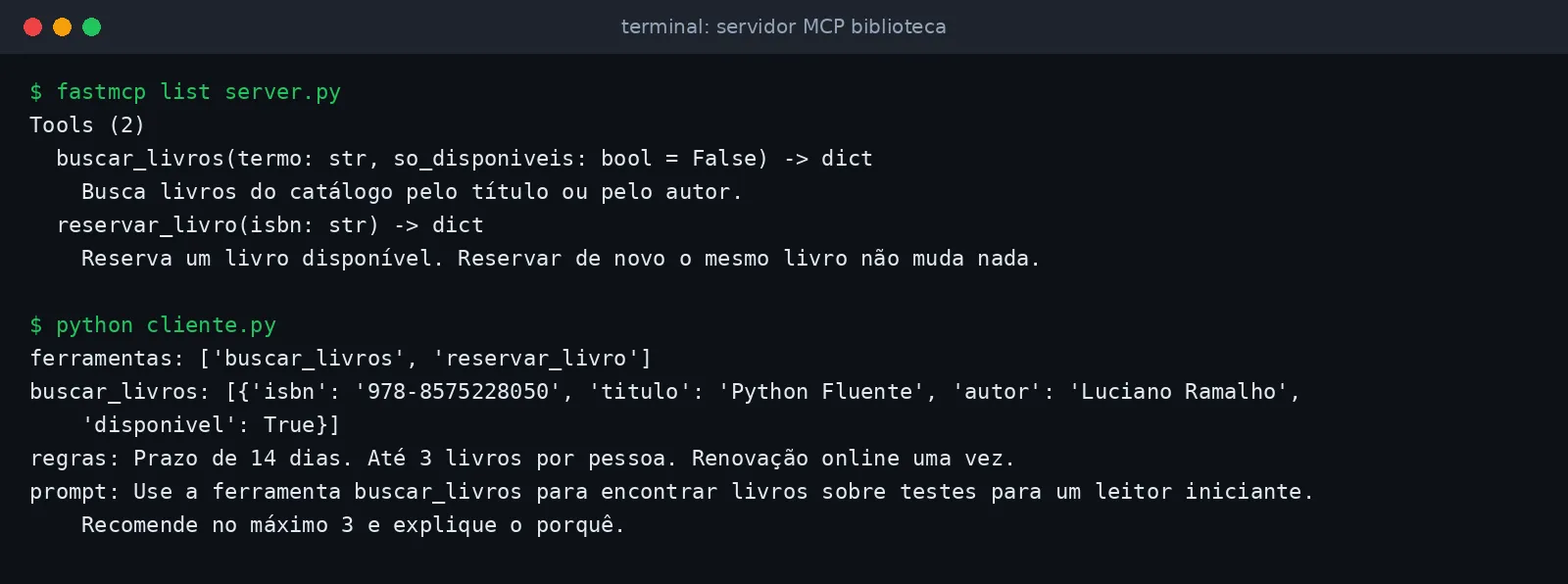
You do not need an LLM to test the server. FastMCP ships a Python client. Save it as cliente.py:
import asyncio

from fastmcp import Client


async def main():
    async with Client("server.py") as client:
        tools = await client.list_tools()
        print("ferramentas:", [t.name for t in tools])
        resultado = await client.call_tool("buscar_livros", {"termo": "python"})
        print("buscar_livros:", resultado.data)
        regras = await client.read_resource("biblioteca://regras")
        print("regras:", regras[0].text)
        prompt = await client.get_prompt("recomendar", {"tema": "testes"})
        print("prompt:", prompt.messages[0].content.text)


asyncio.run(main())
Passing the path server.py makes the client start the server as a subprocess and talk to it over stdio. The FastMCP command line helps too: fastmcp list server.py shows the tools and fastmcp call server.py buscar_livros termo=código calls one of them. This is the real output of both commands.
To explore visually, fastmcp dev inspector server.py opens the MCP Inspector in your browser. The same tests fit in your pytest suite: the in-memory client lets you test the server like any other function.
Running over stdio or HTTP
mcp.run() with no arguments uses stdio: the client starts the process on the user's machine. It is the right mode for local tools, such as access to files or a repository.
For a shared service, use HTTP:
mcp.run(transport="http", host="0.0.0.0", port=8000)
The endpoint lives at http://<host>:8000/mcp, and the same Client connects with Client("http://localhost:8000/mcp"). In production, put authentication in front of it (one token per user, or OAuth) and treat each tool as a public endpoint: validate everything, log the calls and give each token only the permissions it needs.
Connecting it to Claude
In Claude Code, one command registers the server:
# local server, over stdio
claude mcp add biblioteca -- python /path/to/server.py

# remote server, over HTTP
claude mcp add --transport http biblioteca https://mcp.example.com/mcp
From then on, asking "is there a Python book available? If so, reserve it" makes Claude call buscar_livros, read the result and, if it makes sense, call reservar_livro.
Good practices for designing the tools' API
- Few tools, well named. Prefer
buscar_livrosandreservar_livroto anexecute_action(type, payload). The model chooses better when the name already states the intent. - Explicit, typed arguments. Enums, limits and descriptions in the schema prevent wrong calls before they happen.
- Small, structured responses. Return what the model needs for the next step, not the whole table. Paginate long lists.
- Errors that teach. "ISBN does not exist" helps the model correct itself; a stack trace does not.
- Idempotent, annotated writes. If a tool changes data, mark it with the annotations and make retries safe.
- Separate reads from writes. Read-only tools can run without confirmation; write tools deserve the user's attention.
Next steps
Swap the LIVROS dictionary for your API or your database, keep the same design rules, and you will have a useful MCP server in an afternoon. The protocol is the same for every compatible client, so the work pays off in Claude, in IDEs and in the agents you write yourself.